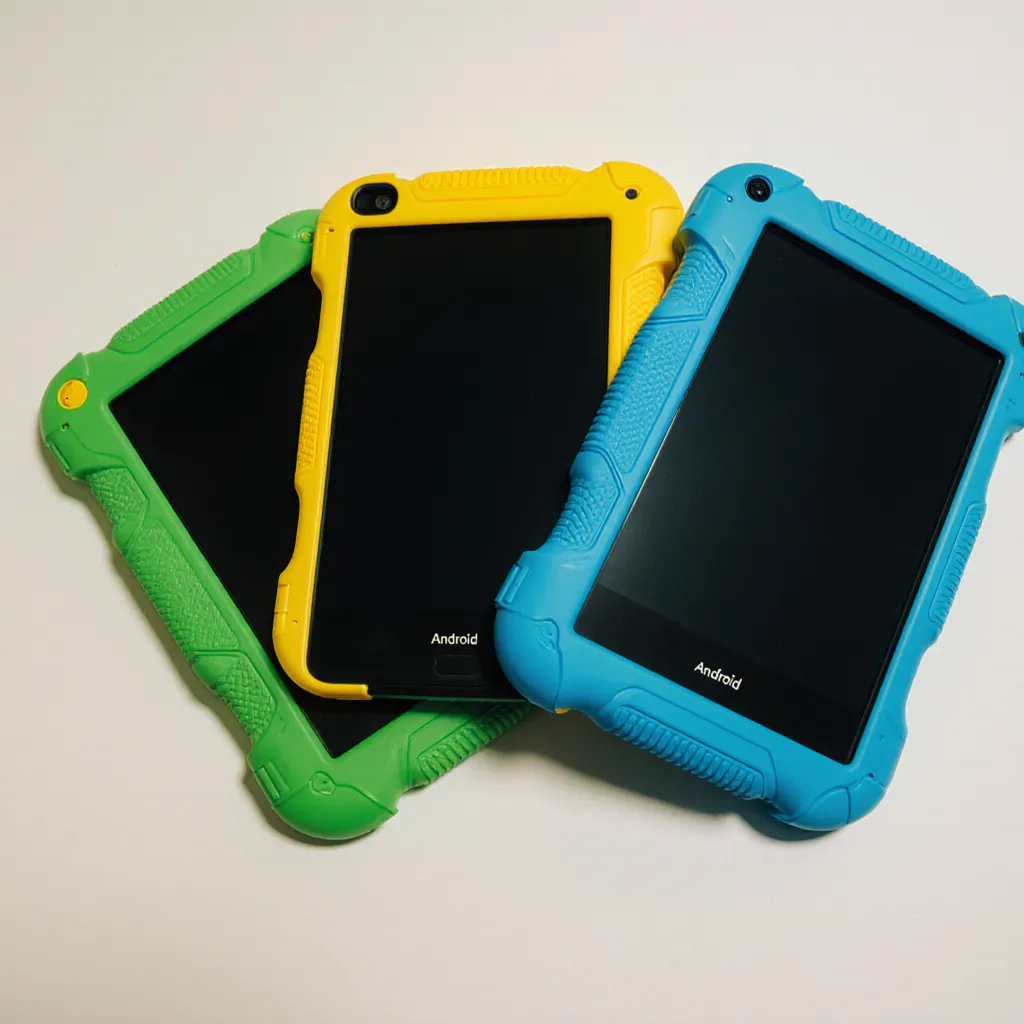
School Tablets That Arrive Ready to Learn
Turn on. Connect WiFi. Start teaching.
30 days, 30 devices, no commitment
No 30-Minute Setup. No IT Configuration Marathon.
EduTab tablets arrive pre-configured with everything your school needs. Just connect to WiFi and you're ready in under 5 minutes.
What Makes EduTab Tablets Different
Pre-Installed and Ready
Every EduTab tablet arrives with:
- EduTab MDM Agent
Already configured to enroll in your school's Portal. Scan the QR code and the device joins your fleet automatically.
- EduTab App Marketplace
Access to curated educational apps immediately. No account setup, no payment methods required.
- Clean Android Experience
Pure Android without manufacturer bloatware. Just the tools needed for learning.
Under 5 Minutes to Ready
EduTab deployment:
- 1 Unbox tablet (2 min)
- 2 Power on and connect WiFi (2 min)
- 3 Scan QR code (30 sec)
Total: Under 5 minutes per device
For a classroom of 25 tablets, that's saving over 20 hours of IT time.
Specifications
Hardware
- Display
- 10.1" IPS touchscreen
- Processor
- Quad-core ARM
- Memory
- 3GB RAM
- Storage
- 32GB (expandable)
- Battery
- 6000mAh
- Connectivity
- WiFi, Bluetooth
- Camera
- Front + Rear
- Ports
- USB-C, 3.5mm audio
Software
- Operating System
- Android
- MDM
- EduTab Portal agent
- App Store
- EduTab App Marketplace
- Updates
- OTA via Portal
What's Included
- EduTab tablet
- Protective cover/case
- USB-C charging cable
- Power adapter (EU plug)
- Quick start guide
Pricing Options
Individual Tablets
€199
EduTab Tablet with protective cover
Ideal for: Small purchases, replacements, pilot testing
Classroom Bundle
Best Value€7,500
25 Tablets + covers + locked charging cabinet
- Secure locking mechanism
- 25 charging slots
- Cable management
- Wheeled for mobility
Ideal for: Full classroom deployments, shared device models
Volume Orders
Custom Pricing
100+ tablets
Works With Your Existing Infrastructure
WiFi
EduTab tablets connect to standard WiFi networks. Enterprise authentication (WPA2-Enterprise) is supported through Portal configuration.
Existing MDM Subscriptions
EduTab tablets work with your existing EduTab Portal subscription. No additional per-device licensing—just add them to your fleet.
Network Requirements
Minimal bandwidth needed:
- Initial enrollment: ~50MB
- App downloads: Varies by app
- MDM communication: Minimal (<1MB/day)
For Teachers
Designed for Classroom Use
- Durability
Protective covers standard. Designed to survive student handling.
- Battery Life
Full school day on single charge. Charge overnight and use all day.
- Quick Boot
Ready to use within seconds of pressing power.
- Consistent Experience
Every device behaves the same way. No surprises.
Classroom Control
Once enrolled in EduTab Portal, teachers can:
- Launch apps on all devices simultaneously
- Lock screens for attention
- Set kiosk mode for focused activities
- Monitor device usage
- No IT involvement needed
For IT Administrators
Zero-Touch Deployment
- 1 Assign devices to your school in the Portal
- 2 Print QR code from Portal
- 3 On each device: power on → connect WiFi → scan QR
- 4 Device auto-enrolls and configures
No manual configuration. No app installation. No account setup.
Fleet Management
Once enrolled, devices appear in your Portal dashboard:
- Remote diagnostics
- App deployment
- Configuration changes
- Security monitoring
- Location tracking (optional)
Warranty and Support
- Standard manufacturer warranty
- Replacement parts available
- Technical support included
Bring Your Own Device (BYOD) Option
Don't want to purchase tablets from us? That's fine.
EduTab Portal and EduTab App Marketplace work with most Android devices. If you already have tablets, or prefer to source your own:
- 1 Ensure devices run Android 8.0 or later
- 2 Factory reset (recommended for clean start)
- 3 Install EduTab MDM agent
- 4 Enroll via QR code
- 5 Access EduTab App Marketplace
The main advantages of EduTab tablets:
- Pre-configured (faster deployment)
- Consistent hardware (easier support)
- Guaranteed compatibility
But if BYOD fits your situation better, we support that fully.
The Complete Ecosystem
EduTab Tablets are part of the complete EduTab ecosystem
EduTab Tablets
You are here
Ready to Get Started?
Order EduTab tablets for your school or try the complete ecosystem free for 30 days.
Already have tablets? Learn about EduTab Portal for your existing devices.
EduTab is a product of Toekomst.school, based in the Netherlands.